
How to Create Custom Kits For Football Manager - FM Kit Creator
 Apr 22, 2025, by Chris
- FM Kit Creator Purpose: A free online tool to easily design and implement custom 2D and 3D kits for Football Manager without graphic design skills.
- Key Features: Offers an intuitive visual editor with extensive customization options, including templates, brands, sponsors, and patterns, and automatically generates the necessary configuration file.
- Simple Implementation: The tool simplifies adding custom kits to the game by automatically integrating team IDs and providing an easy download and placement process into the Football Manager graphics folder.
Tired of the generic default kits in Football Manager? Want to give your lower-league team a bespoke look or to have a new kit set for the, e.g. 2031-32 season? A powerful web-based tool, fmkitcreator.com, has become a go-to resource for FM players wanting to design and implement their own custom kits directly into the game.
Design your own FM Manager kits now

As highlighted creator like Clayts (@claytsfm) and discussed widely in the FM community (like on the r/footballmanagergames subreddit), FM Kit Creator offers an incredibly user-friendly way to design detailed kits and, crucially, get them working both in the menus (2D kits) and within the 3D match engine.
What is FM Kit Creator?


FM Kit Creator is a free-to-use (with optional paid premium features) online tool specifically designed for creating Football Manager kits. It simplifies a process that previously required graphic design skills and manual configuration file editing, especially for the tricky 3D kit textures.
Key Features Making It a "MUST" for FM Players:

Here's why FM Kit Creator stands out:
- Intuitive Interface: A visual editor allows you to easily select designs, colours, logos, and patterns.
- 2D & 3D Kit Creation: Automatically generates both the 2D menu kits and the corresponding 3D textures players wear in the match engine.
- Extensive Customization: Templates: Choose from numerous real-world kit templates (many free, some premium) or design from scratch.
- Automatic Config File: Generates the necessary `config.xml` file automatically, telling FM which kit belongs to which team ID.
- Team ID Integration: Search for your team within the tool to automatically fetch its unique ID, simplifying the setup.
- Easy Export & Import: Download your creations as a simple Zip file ready to be placed in your FM graphics folder.
Brands & Sponsors: Includes a vast library of real kit manufacturers (Nike, Adidas, Puma, etc.) and sponsor logos, or upload your own.
Team Logos: Search for your team or upload custom crests.
Patterns & Details: Apply various patterns, adjust opacity, customize collars, sleeves, side panels, and add league sleeve patches.
How to Create and Import Your Custom Kits
Clayts' video provides a great walkthrough, but here’s the basic process:
- Go to fmkitcreator.com: Select the Football Manager section.
- Select Team: Search for your club to get the unique ID and basic info.
- Design Your Kit: Choose a base template (optional).
- Download: Once happy, download the kit (Home, Away, or Third) as a Zip file.
- Extract: Unzip the downloaded file into your Football Manager graphics folder. The typical path is: `Documents\Sports Interactive\Football Manager 2024\graphics\kits`. It's recommended to create a subfolder within 'kits' for your team (e.g., `graphics\kits\GuangzhouKits`).
- Load in FM: Go to FM Preferences -> Interface.
- Enjoy: Your custom kit should now appear on the team profile screen (2D) and be worn by players in the match engine (3D).
Select brand, team crest (upload if needed), sponsors, sleeve patches.
Define base colours, patterns, collar styles, etc. Use the visual preview (adjust lighting and kit style like FC12/SS if desired).
Click "Clear Cache" (recommended).
Ensure "Reload skin when confirming changes in Preferences" is ticked OR untick "Use caching to decrease page loading times".
Click "Reload Skin".


For many FM players, visual details significantly enhance immersion. Replacing placeholder kits with unique, custom designs – especially for your own team – adds a layer of realism and personalization that makes the game world feel more alive. The ease with which FM Kit Creator achieves this, particularly with the 3D kits, makes it an invaluable tool for the community.
Design your own FM Manager kits now
Have you used FM Kit Creator? Share your experiences or favourite creations in the comments below!


1. FC Köln 26-27 Away Kit Revealed
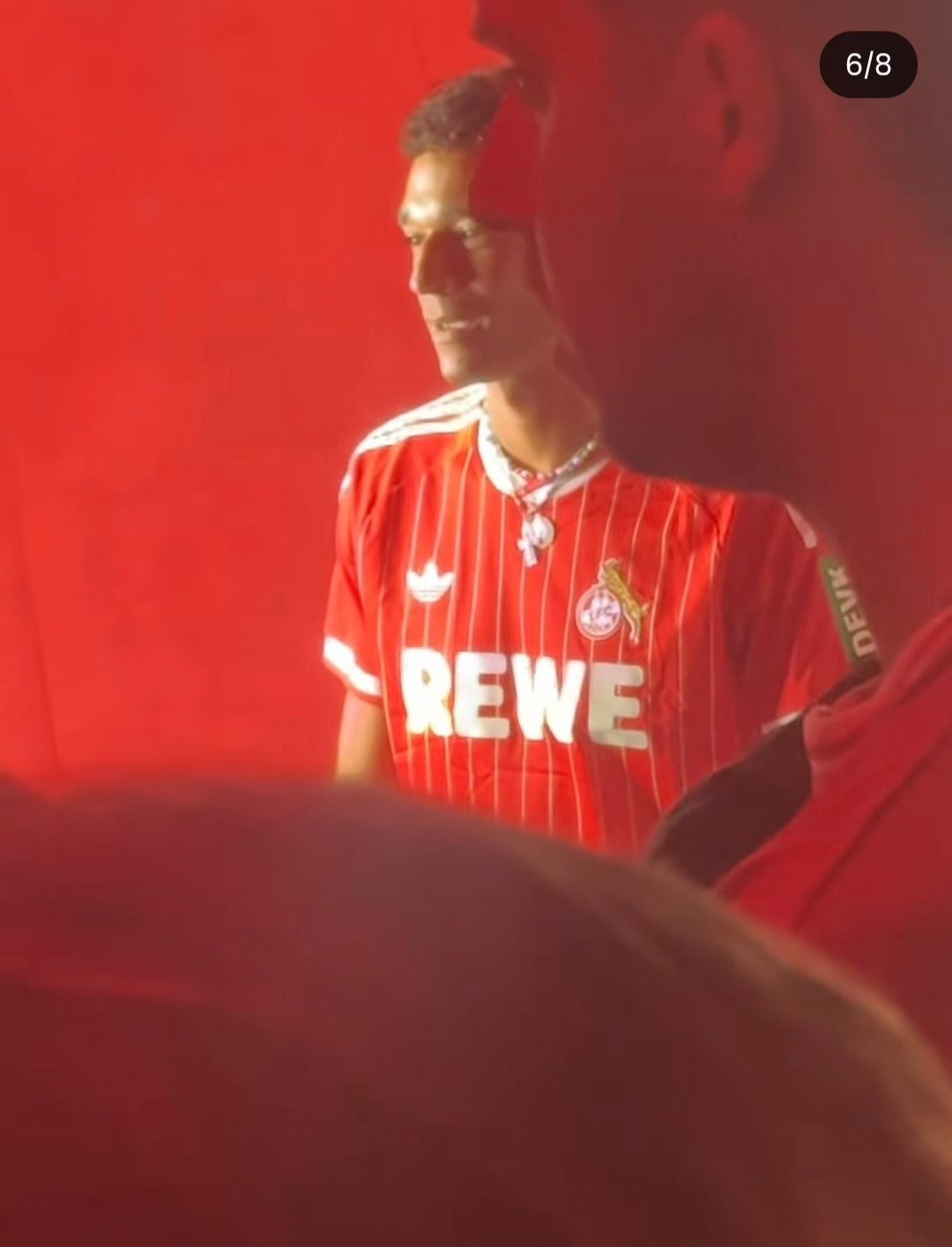
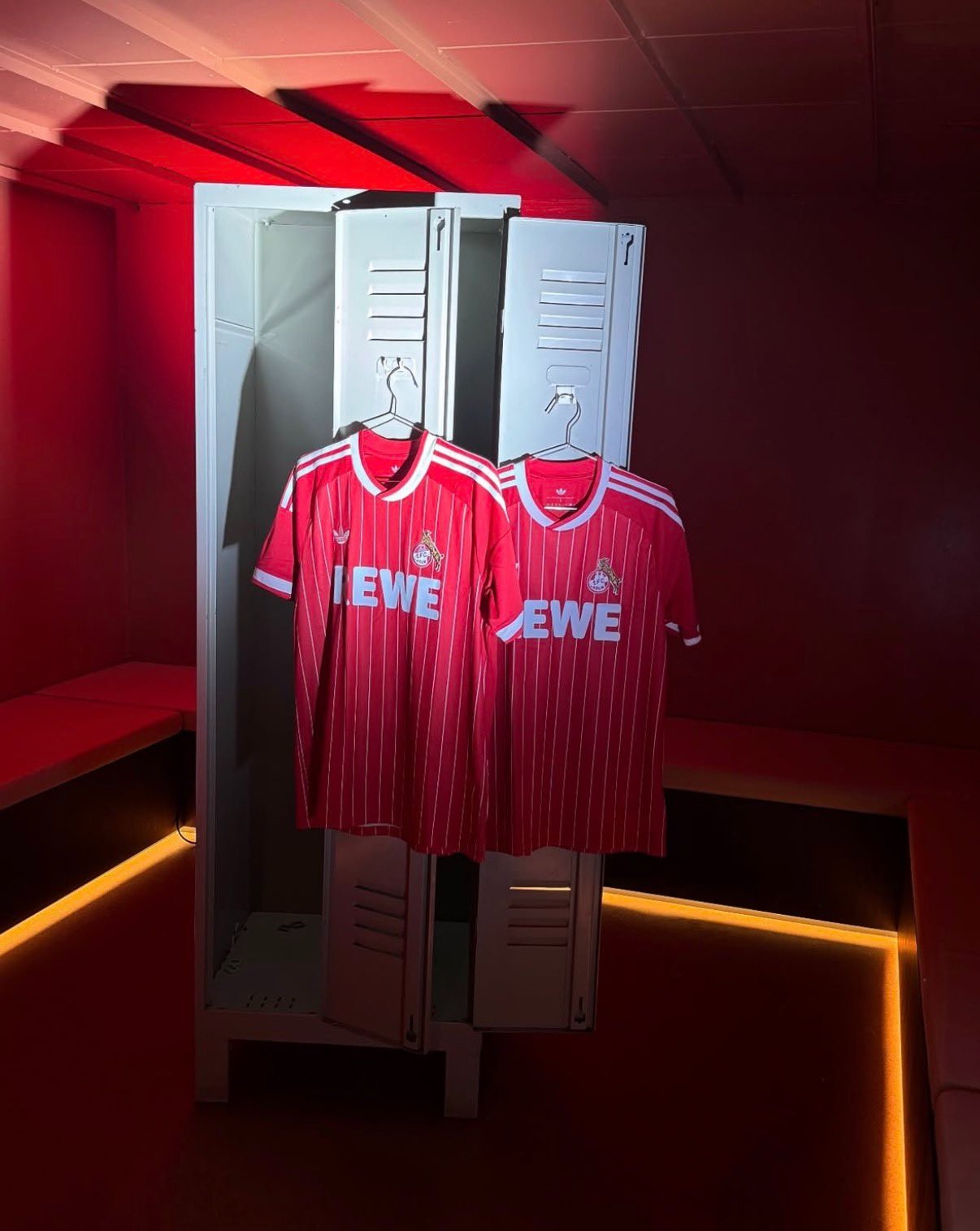
Köln officially launched its new 26-27 away kit by Adidas last evening, completing the club's jersey lineup for the upcoming season. Following the earlier releases of the white home kit and navy third shirt, the new away strip celebrates the city's iconic "Rut un Wiess" (red and white) colors with a vintage-inspired red base and subtle white pinstripes. The jersey is officially available starting later today, July 28, through the club's official online shop and fan stores. Thanks to our partner Insider Müngersdorf for the product images.


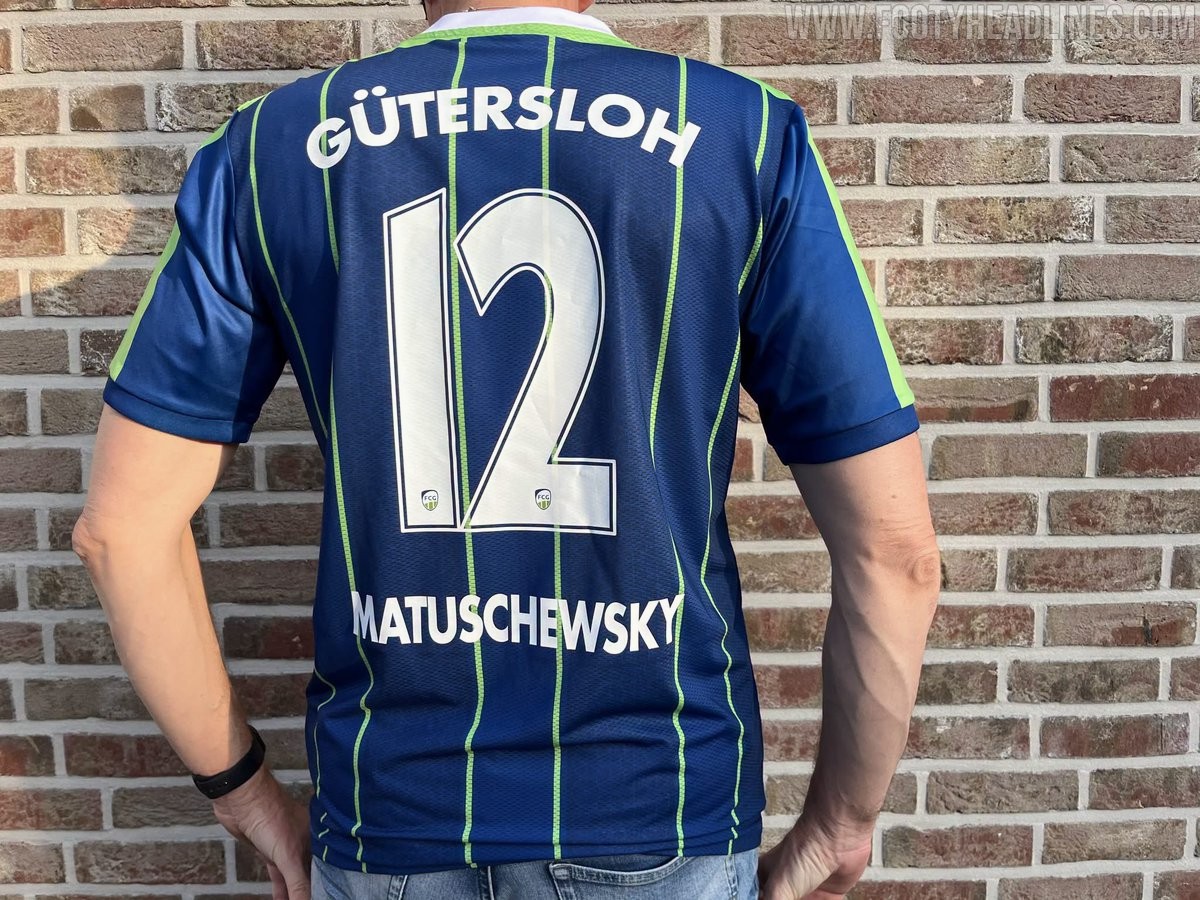
FC Gütersloh 26-27 Home Kit Released
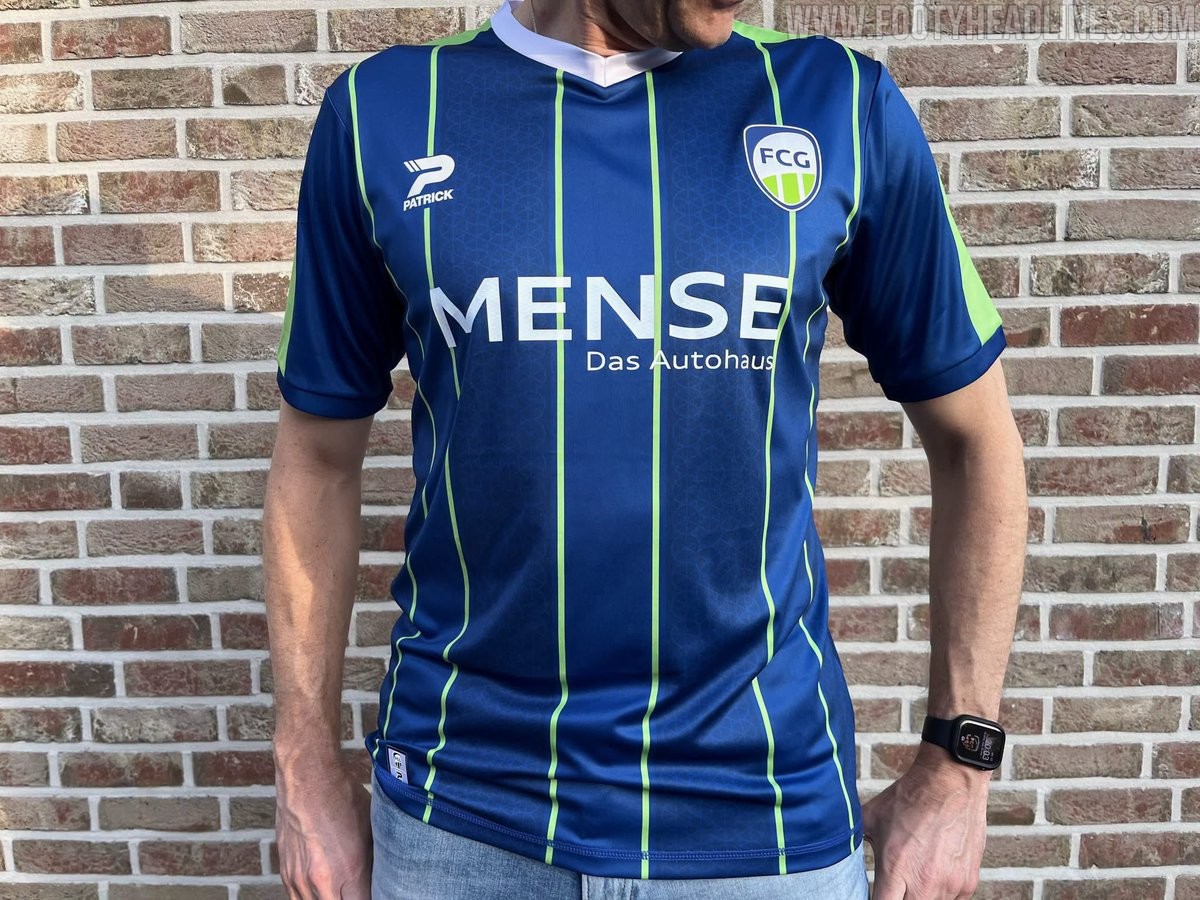
German Regionalliga West side FC Gütersloh and new technical supplier Patrick have officially launched the club's 26-27 home kit. Marking the first home release under the new partnership, the jersey was created in collaboration with design agency Starmerch as a fully custom design without using teamwear templates.
The FC Gütersloh 26-27 home shirt features a deep blue base with alternating tonal stripes, separated by vivid green vertical pinstripes. Incorporating a local connection, the darker blue bands contain a subtle watermark pattern based on the spinning wheel from the Gütersloh city coat of arms. A white V-neck collar and bright green shoulder panels provide contrast, with supplier, sponsor, and back printing appearing in crisp white.
The new home kit debuted on pitch during Gütersloh's Westfalenpokal victory over SC Wiedenbrück. It is currently available for purchase in the official club fanshop priced at €69.50.
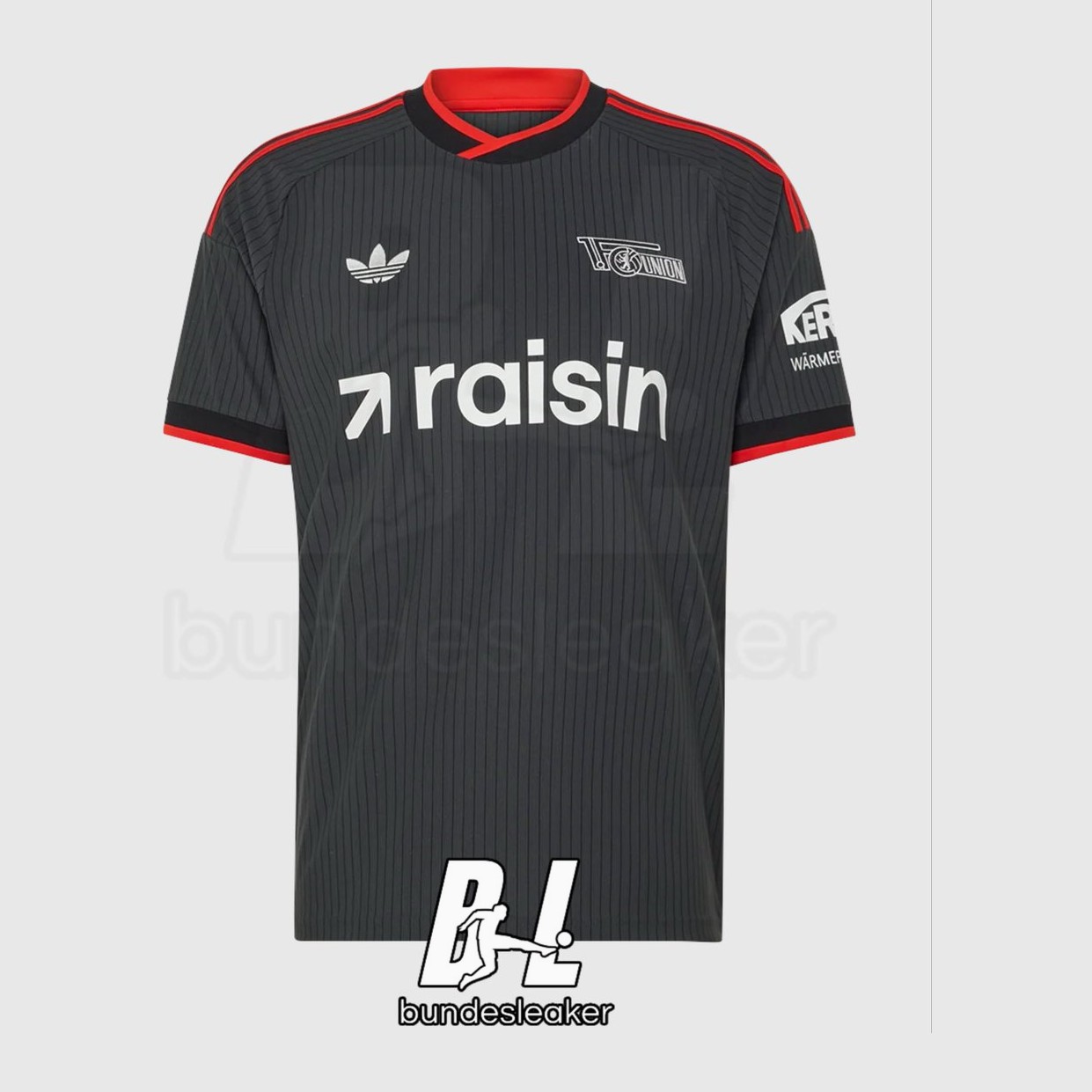
Union Berlin 26-27 Away Kit Leaked - First With Trefoil
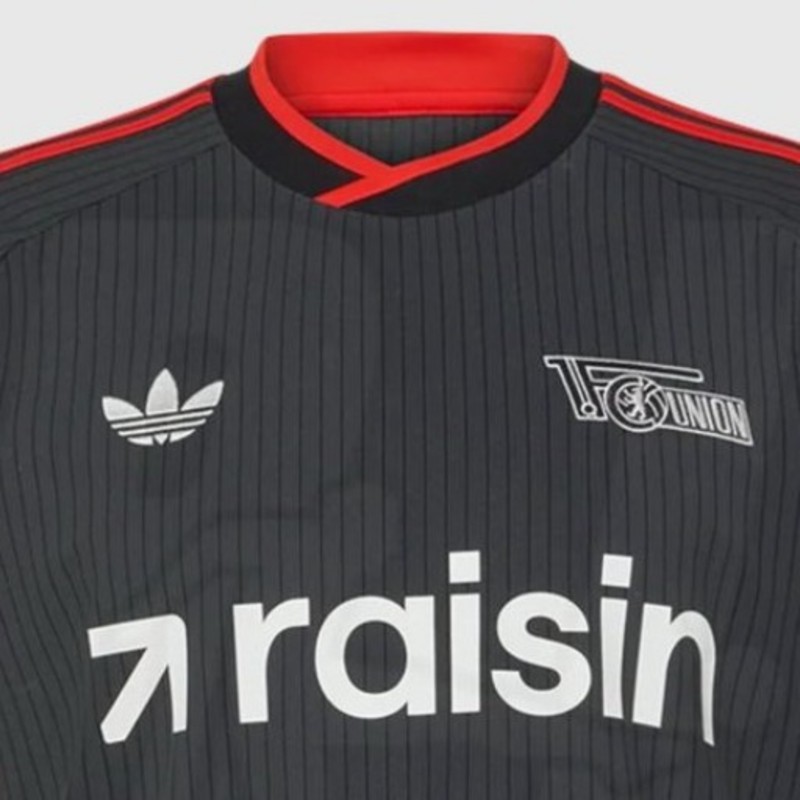
The upcoming 1. FC Union Berlin 26-27 away kit has been leaked online via @Bundesleaker. Designed by Adidas, the new away shirt prominently features the iconic Trefoil logo as part of the brand's vintage-inspired approach for away kits in the 26-27 season.
The Adidas Union Berlin 26-27 away shirt comes in a dark charcoal anthracite shade detailed with subtle vertical pinstripes. A monochrome white Union Berlin crest and white Adidas Trefoil sit on the chest alongside white Raisin sponsor branding, while bright red accents line the collar, sleeve cuffs, and the three shoulder stripes.
Meanwhile, the leaked 26-27 goalkeeper shirt showcases a bright light blue base paired with dark blue ribbed elements and collar. It is a streamlined look.
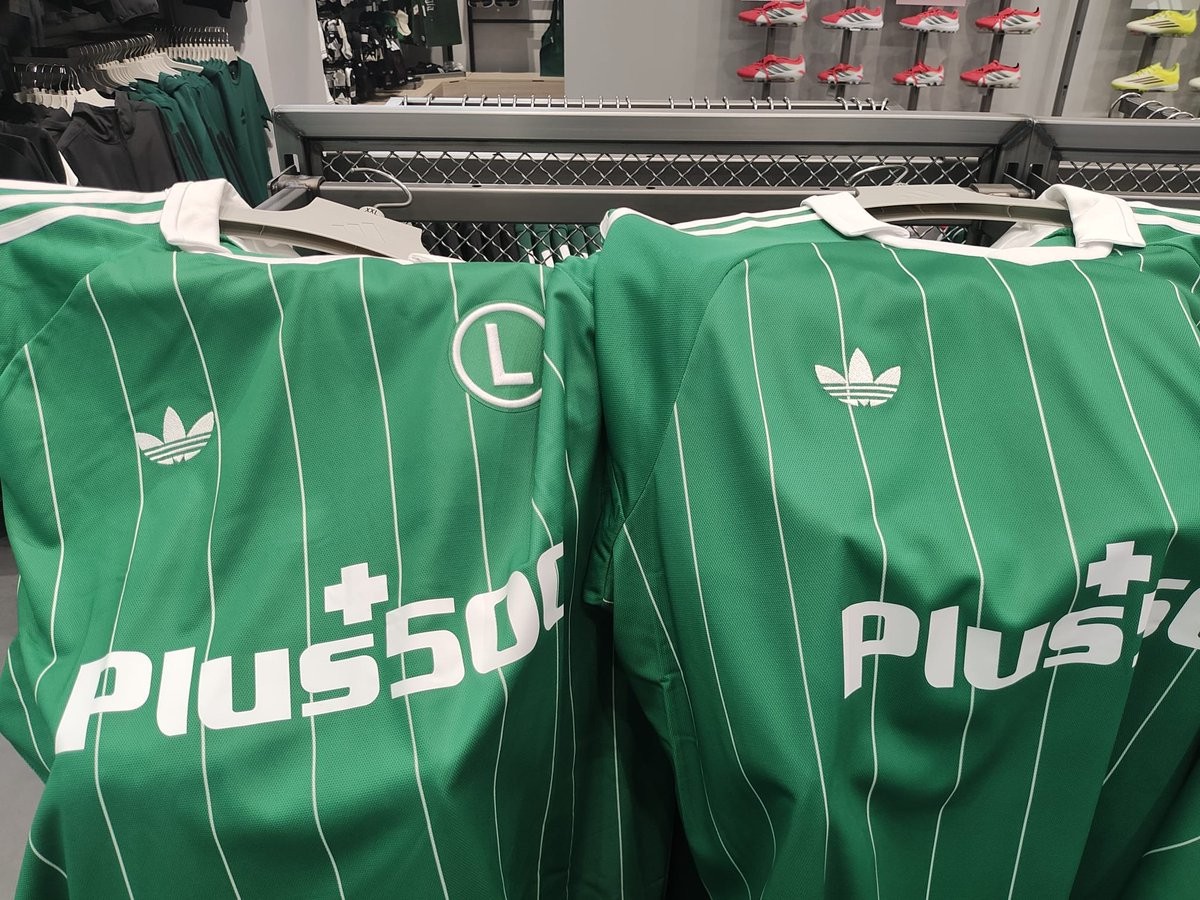
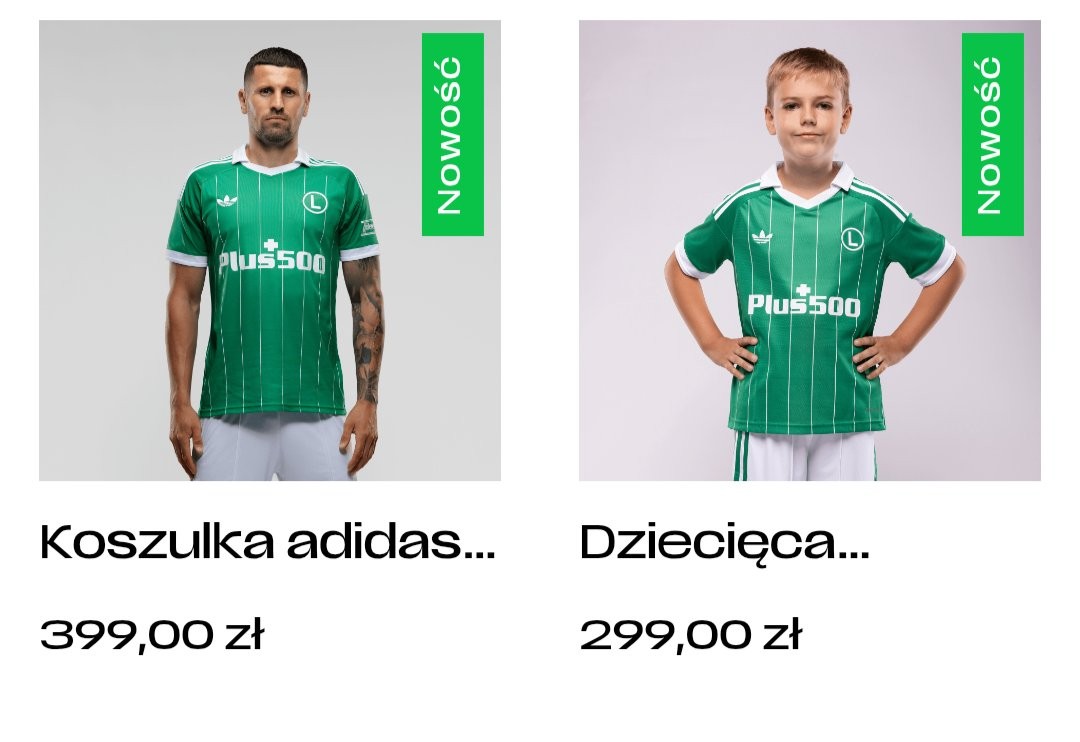
Odd Manufacturing Flaw: Legia Warsaw 26-27 Away Kits Feature Different Trefoil Placements
Legia Warsaw and Adidas officially unveiled the club's new 26-27 away kit, bringing back the iconic Adidas Originals Trefoil logo for the first time in over thirty years. The retro-inspired shirt features a green base decorated with thin white vertical pinstripes and a classic polo collar. However, as the kit hit the shelves in the official club shop, fans quickly noticed an unexpected production quirk.
In-store videos and photos shared by fans show that the positioning of the Adidas Trefoil logo is inconsistent across different jerseys. Due to variations in how the heat-applied logo or pattern was aligned during manufacturing, the Trefoil sits in a noticeably different spot relative to the vertical pinstripes on almost every shirt. On some jerseys, the logo sits directly centered on a pinstripe, while on others it is offset into the green space or sits higher up near the collar seam.
While slight manufacturing tolerances are common in sportswear, seeing such obvious alignment differences across retail stock is an unusual sight for a major Adidas launch. Fans picking up the new 26-27 Legia kit in person may want to inspect multiple hangers in the store to find the exact placement they like best.
Wrexham Tease 26-27 Home Kit Ahead of Official Release
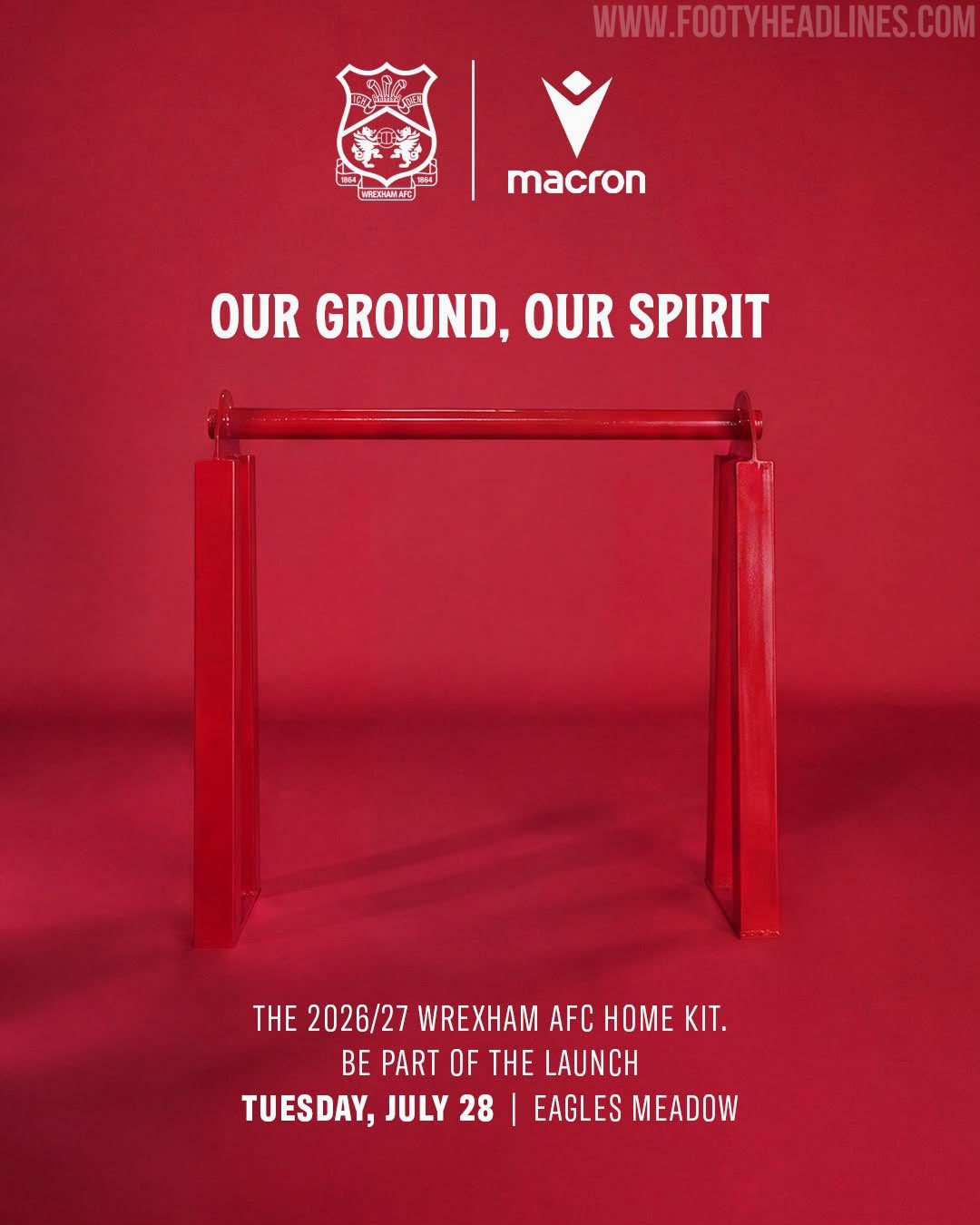
Wrexham AFC have officially teased their new 26-27 home kit, confirming that the uniform will be revealed on Tuesday, July 28, 2026. The Welsh club released promotional graphics under the tagline "Our Ground, Our Spirit," announcing launch events held simultaneously at Eagles Meadow in Wrexham and Pelé Soccer in New York City at 2:30 PM BST (9:30 AM ET).
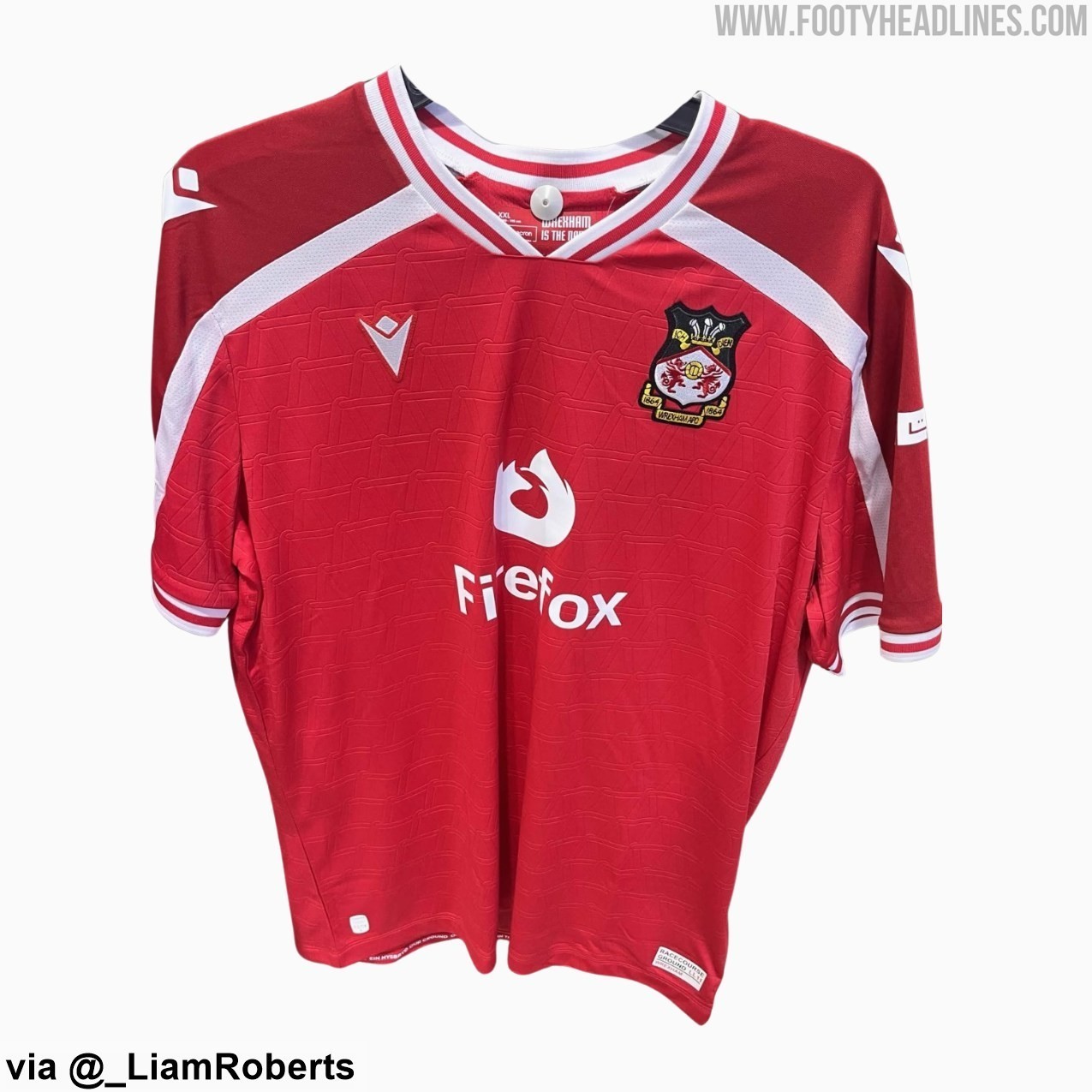
The 26-27 home kit, produced by long-term technical partner Macron, marks a new era as web browser Firefox debuts as Wrexham's primary shirt sponsor, replacing United Airlines. Recent leaks and photos showing co-owner Ryan Reynolds presenting the new jersey to WWE star CM Punk have already given fans a detailed look at the design. The shirt features a solid red base with a subtle interlocking 3D embossed pattern, styled with a white V-neck collar and white diagonal accents across the shoulders.
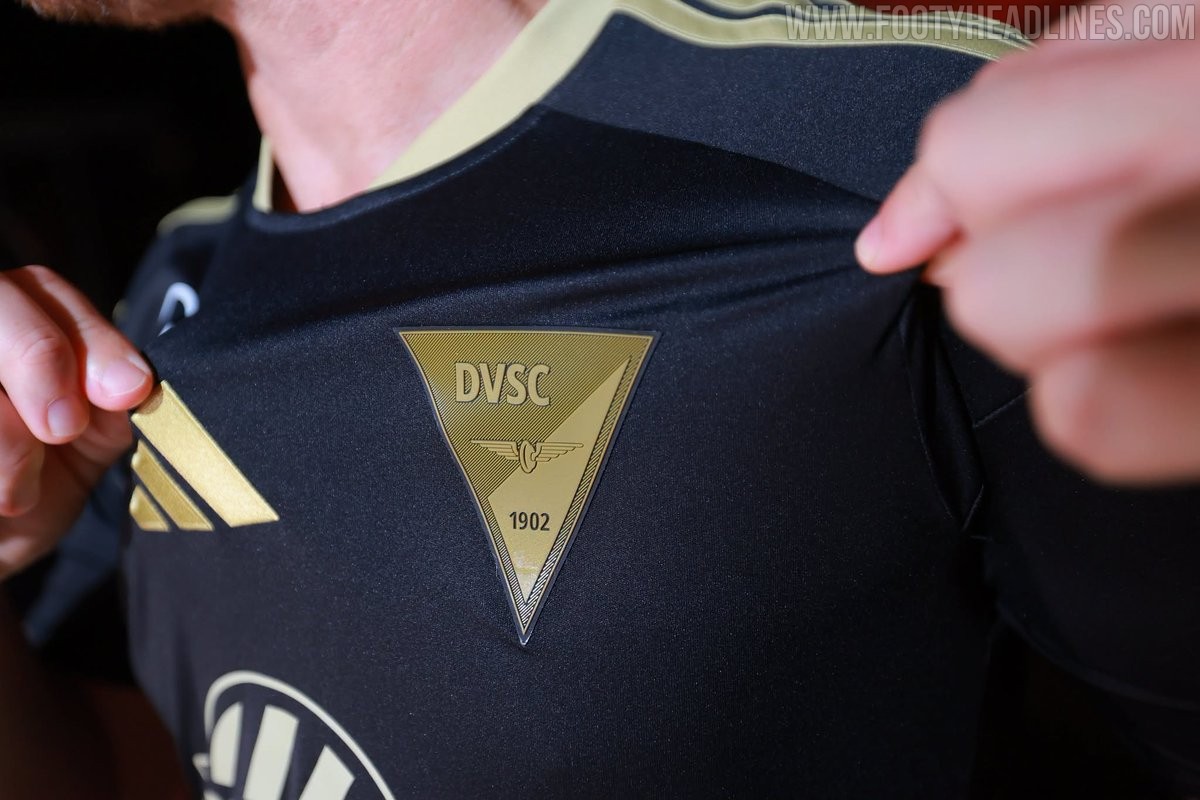
Debreceni VSC 26-27 Third Kit Released
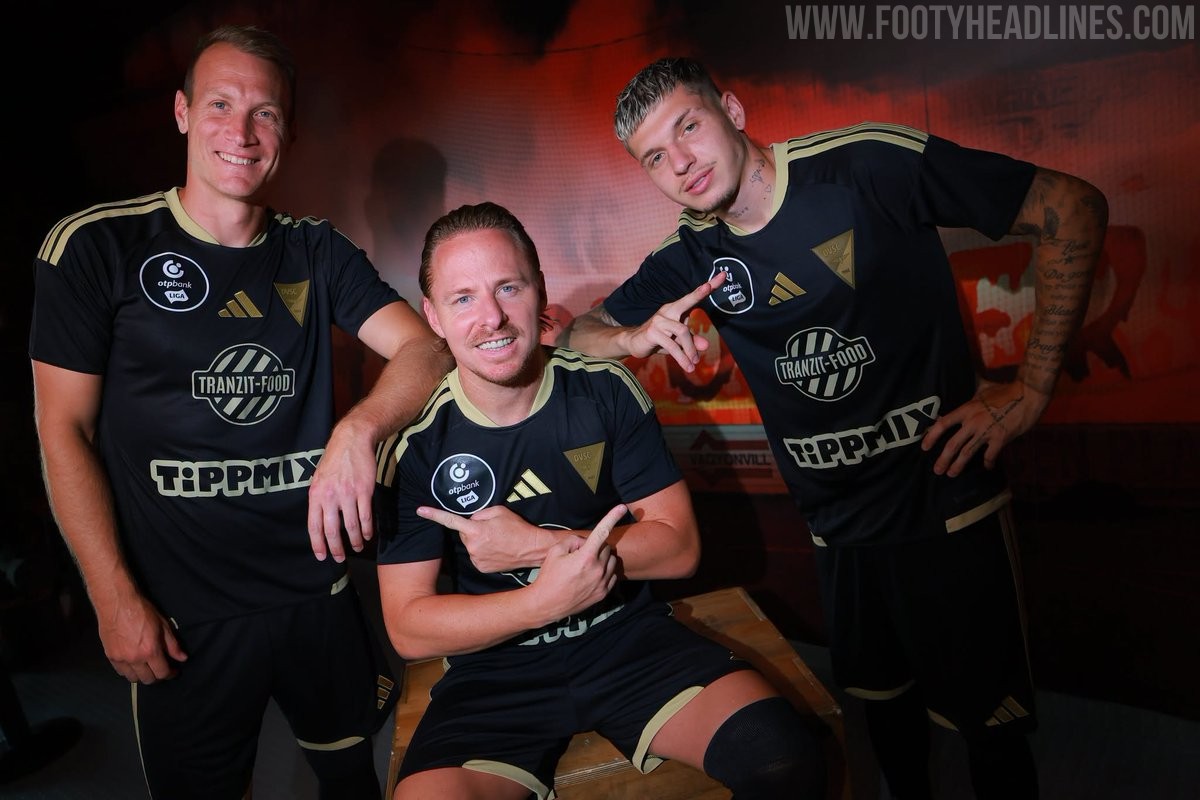
Hungarian club Debreceni VSC has officially launched its new third kit for the 26-27 season.
The Adidas Debreceni VSC 26-27 third jersey features a black base combined with rich gold accents throughout. The signature Adidas three stripes on the shoulders, the brand emblem, collar trim, and all front sponsor logos are finished in metallic gold. A key highlight of the kit is the special triangular gold crest on the left chest, which features the club name, founding year 1902, and winged wheel motif.
On the back below the collar, a small Hungarian national flag is placed directly above a winged wheel graphic to add a subtle local detail. Black shorts and black socks, both decorated with gold trimming, complete the new Adidas Debreceni 26-27 third strip.
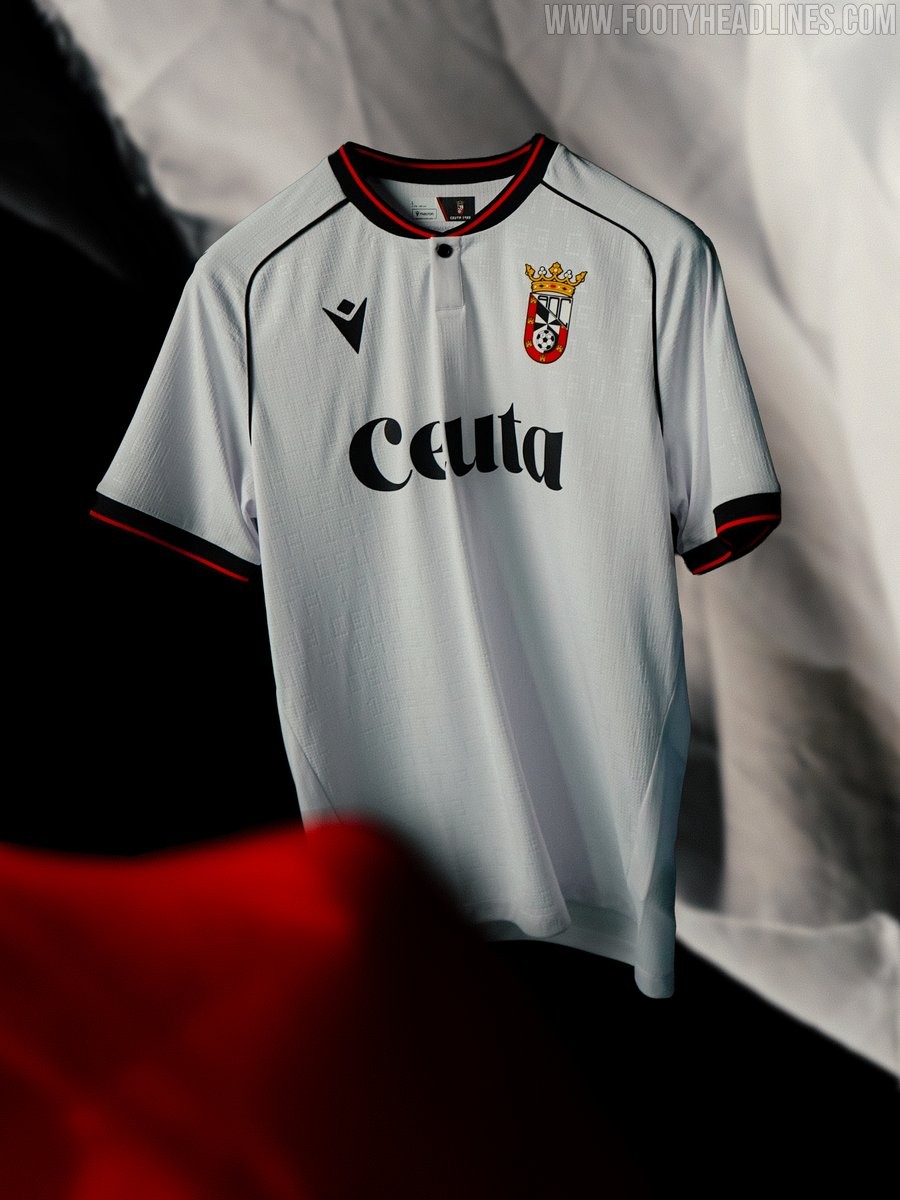
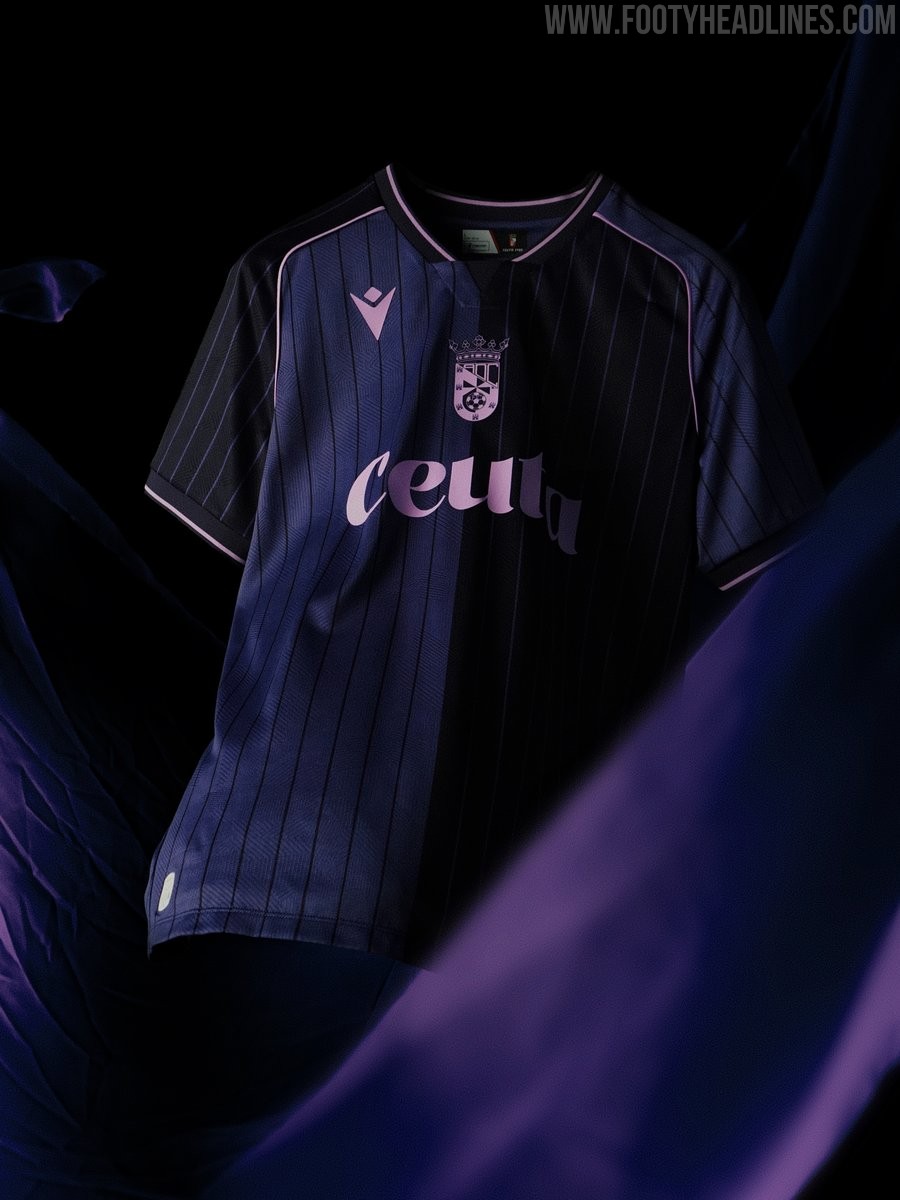
AD Ceuta 26-27 Home & Away Kits Released
Spanish club AD Ceuta FC and technical partner Macron have officially launched the new home and away kits for the 26-27 season. The home shirt offers an elegant classic look dominated by white, enhanced by an all-over embossed pattern alternating the text CEUTA with the club's founding year, 1933. It features a grandad collar with red and black detailing, which is also reflected on the sleeve cuffs, alongside a silicone-printed black Macron Hero and the official club emblem on the chest.
In contrast, the 26-27 away kit introduces a fresh modern aesthetic featuring three distinct shades of purple. The body of the shirt is vertically split between two tones of purple, overlayed with subtle vertical pinstripes across the front and sleeves. Bright purple accents decorate the V-neck collar and sleeve trims, while a monochromatic light purple crest and logo round off the shirt.
Having worn a turquoise third uniform during initial pre-season matches, the Spanish side is now fully prepared with its complete kit collection for the 26-27 campaign.
