Here Is How Fake Teams & Leagues Look In Football Manager 2020 + How To Fix It

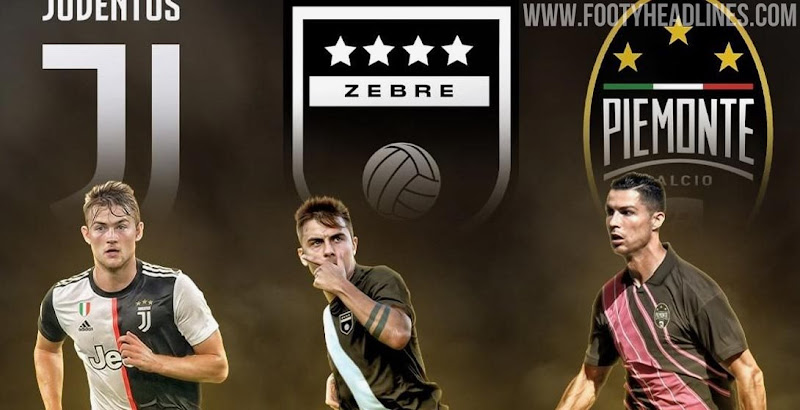
Last month, the latest edition of the famous Football Manager video game, FM 2020, was released. We already reported that Juventus wis called "Zebre" in the game due to missing licenses. Today we want to take a closer look at how fake teams look in FM2020 while also providing info on how to fix it.

Fake Teams In Football Manager 2020
FM2020, which is published by Sega, does not have many important licenses. In fact, while they have the EFL, Bundesliga and Ligue 1 licenses, the game does not have the rights for the English Premier League, La Liga and Serie A.

Therefore, in many leagues such as Premier League teams do not have real kits and logos and competitions such as the Champions League have fake logos. Other problems that arise due to licensing requirements are that the German and Japan national team have "fake" players, and that Brazilian clubs have fake names. Bayern Munich have a fake manager at the start of the game.


The fake logos of those teams and leagues boast the correct colors of the clubs, while the general look of them is pretty standard. The fake kits are also pretty standard and mostly have the correct club colors.


All those aspects are not important for gameplay. However, they nevertheless disturb the flow of the game for many. But you can fix the the wrong names and logos of teams in Football Manager 2020.

In fact, changing club and competition names to the real names in Football Manager 2020 is quite easy.
You have to download some files (can be downloaded on SortItOutSI or FMScout) which then have to need to be extracted to your computer. You may need to register an account, but it is free and takes just a minute or two. Then, you can copy and paste the downloaded folders and files to the right locations.

GUIDE: How To Fix Fake Names In FM2020
- Download some files (can be found on SortItOutSI or FMScout)
- Locate the necessary folder on your computer
Windows: \Program Files (x86)\Steam\steamapps\common\Football Manager 2020\data\database\db\2010\
Mac: /Users/[username]/Library/Application Support/Steam/steamapps/common/Football Manager 2020/database/data/db/2010/ - Delete the dbc, edt and lnc folders inside the 2010 folder
- Copy and paste the new dbc, edt and lnc folders you have downloaded from SortItOutSI or FMScout.
Please note that only some of the changes will work for existing save games. If you started a game before applying these changes, Juventus will still be called Zebre, in example.


Have you already tried out Football Manager 2020? Are licenses important for you? Share your thoughts in the comments below.
Vintage Football Shirts
from Cult Kits
2016/17 AC Milan *BNWT* Track Jacket (L) Adidas

2006/07 Le Mans *Player Issue* Home Shirt (L) Kappa

2001/07 Middlesbrough Bomber Jacket (L) Errea

2013/14 Barcelona Neymar Jr #11 *BNWT* Home Shirt (XL) Nike

2002/03 Juventus Track Jacket (M) Lotto

2003/04 Atlas Home Shirt (XL) Nike

2001 Brent And Colleagues For England

2022/23 AC Milan Leao #17 *BNWT* Third Shirt (Multiple) Puma

1992 Eurofoot89 Home Shirt (M) Sports Quest